How to Organize Affiliate Links: A Working System for Creators
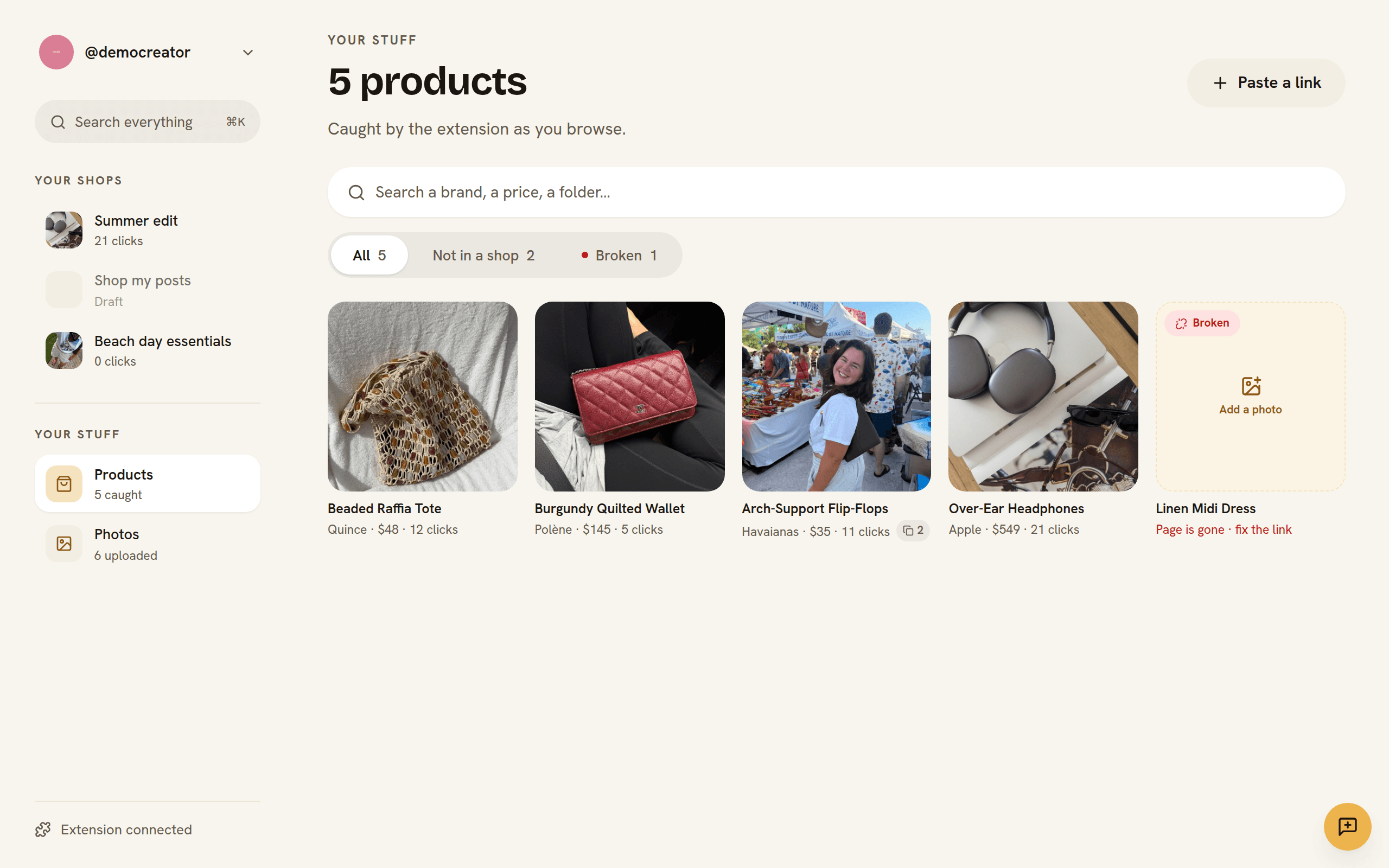
Ask a creator where their affiliate links live and you'll usually get a nervous laugh: a notes app, three spreadsheets, DM history with themselves, and a browser bookmark folder named "STUFF". That chaos has a real cost — re-finding a link takes longer than making the post, old links die silently, and your best product is whichever one you happened to remember. The fix isn't discipline; it's a system with four parts.
1. Capture at the moment of discovery
Every product you'll ever recommend is first seen in a browser tab, usually nowhere near your content calendar. If saving it takes more than one tap, it goes to the screenshots graveyard. Use a capture tool — a browser extension on desktop, the share sheet on your phone — that grabs the URL, title, price, and image in one action and files it into an inbox you actually process.
2. Organize for retrieval, not for tidiness
- Folders for campaigns — "Summer 2026", "Gift guide" — the way you plan content.
- Tags for themes that cut across campaigns — "dresses", "under $50", "kitchen".
- Products alongside the photos they appear in. Keep the shot and the thing it's selling in the same place, and building a shoppable page later becomes assembly instead of archaeology.
3. One tracked link per product, reused everywhere
Minting a fresh link per post scatters your data and multiplies what can break. Give each product one short, tracked link — ideally on your own domain — and reuse it in every caption, pin, and page. Clicks aggregate per product, so "what should I post more of?" has an answer. And because the short link redirects, you can re-point a dead product URL once and fix every post that ever used it.
4. Health-check relentlessly
Products sell out, pages move, brands restructure their sites. Every dead link is a reader with a card in hand hitting a 404. Automated link health checks — flagging broken and redirected destinations so you can fix them from one screen — recover real money, especially from your back catalog, which is where most affiliate clicks actually come from.
Putting it together
This capture → organize → build → track loop is exactly what Shopfolio is: one-tap capture from any store page — or a whole LTK post, ShopMy collection, or Amazon storefront in one action — folders to keep it findable, tracked links on your own domain with health checks, and a storefront fed by the same library. But the system matters more than the tool — whatever you use, stop letting your product knowledge live in screenshots.
FAQ
- Should I use a spreadsheet to manage affiliate links?
- A spreadsheet beats nothing, but it can't capture from your browser, check link health, or count clicks — the three things that actually recover lost commissions. Use purpose-built tooling once you're posting weekly.
- How do I know if my affiliate links are broken?
- Automated health checks are the only approach that scales: your links should be re-verified on a schedule and dead or redirected destinations surfaced for one-click fixing. Manually clicking your back catalog isn't realistic past a few dozen products.
- Is it better to create a new affiliate link for each post?
- Usually no. One tracked link per product, reused across posts, concentrates your click data and means a broken destination is fixed in one place. Create per-post links only when you specifically need per-placement attribution.